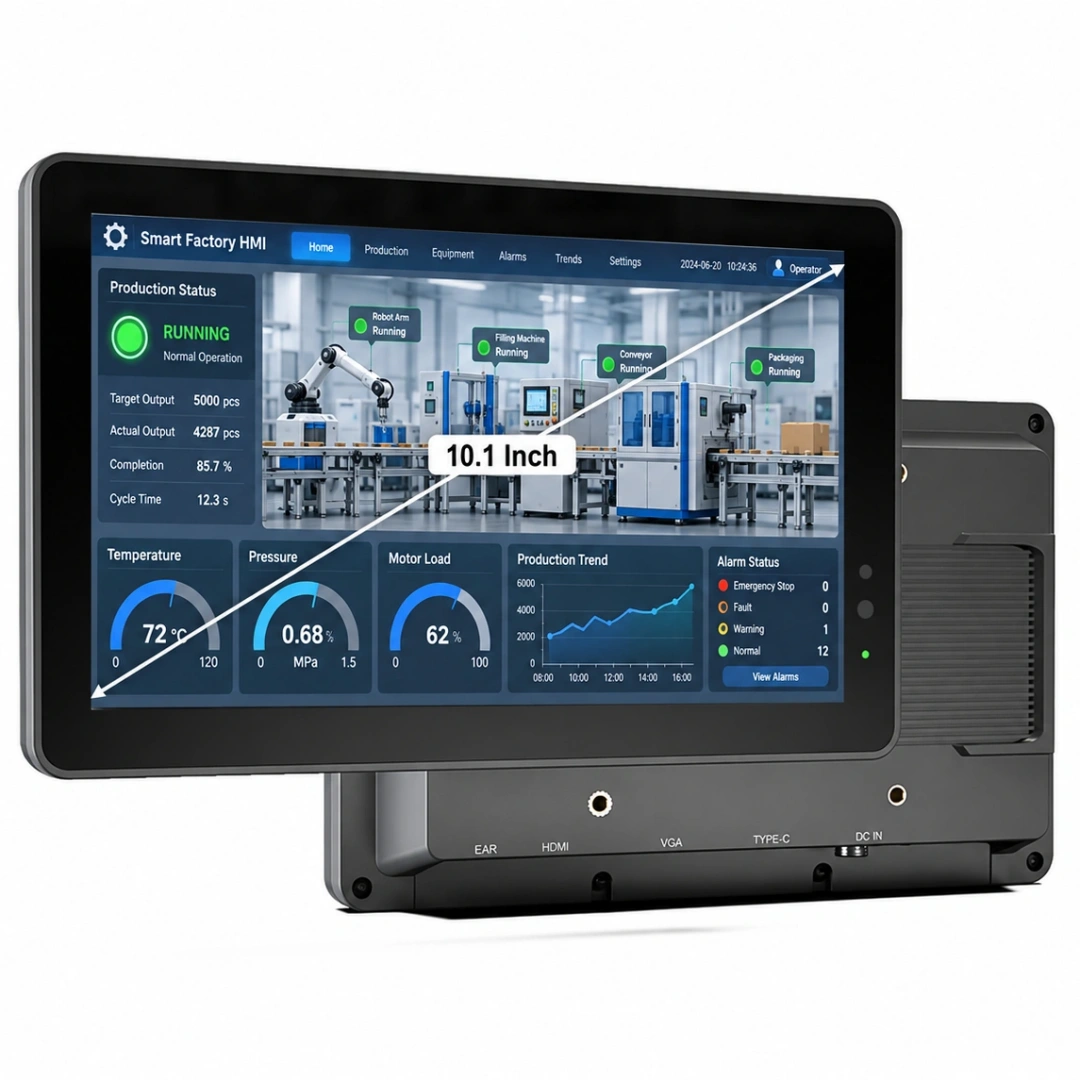
A water resistant panel PC is an integrated industrial computer whose documented configuration provides a stated degree of protection against water exposure. The term does not identify a universal rating or guarantee a completely sealed installation. For a wet-area workstation, select the computer by the actual cleaning method, exposed surfaces, connected accessories and application requirements.
An IP69K panel PC may be a candidate where high-temperature, high-pressure jet exposure is part of the requirement. Its designation still needs a stated test standard, rated boundary and installation conditions. This guide turns those questions into a practical selection process for equipment builders, integrators and plant teams.
Start With the Workstation and Its Cleaning Method
Record what the operator does and what reaches the equipment. A label-printing station receiving approved wipes, an HMI near splash, and a terminal directly exposed during cleaning are different selection problems. Their locations within the same factory do not make their exposure identical.
Walk through the process with operations, sanitation and maintenance. Identify the equipment state during cleaning, where the nozzle or wiping tool can reach, whether the rear is shielded and how water or residue can collect around the mount. A procurement description such as wet room omits these important details.
Keep normal operation, cleaning and service separate in the record. A cabinet door may protect rear electronics during production but expose them when opened for maintenance. A connector may be correctly mated in use but uncapped during a service procedure. These transitions can change the effective protective boundary.

Build an Exposure Record Before Choosing an IP Rating
Use the following fields to describe the installation. The categories are engineering planning inputs, not formal hygiene-zone classifications or instructions to perform a particular cleaning process.
| Exposure field | Record at the workstation | Question for the equipment supplier |
|---|---|---|
| Water application | Wipe, splash, spray, direct jet or possible immersion | Which documented protection scope addresses that exposure? |
| Cleaning conditions | Actual temperature, pressure/flow information, nozzle and distance | What conditions are permitted for the proposed assembly? |
| Chemical contact | Product, dilution, contact time, rinse and residue | Which materials and components have applicable evidence? |
| Exposed surfaces | Front, edges, rear, mount and cable entries | Which surfaces are covered by the claim? |
| Equipment state | Power, doors, ports and accessories during cleaning | What configuration is required by the instructions? |
| Operating environment | Local air, heat sources, humidity and transitions | What installed limits and assessments apply? |
Use actual procedure records where available. If pressure or temperature is unknown, mark it as unknown and assign an owner to obtain the information. Filling a blank with a convenient catalog value does not describe the station.
Include foreseeable deviations that the plant needs to address, such as access behind a terminal or a temporary cable substitution. The solution may involve equipment selection, location, guarding, an approved procedure or several changes together. Raising one rating number does not resolve every exposure variable.
What Does an IP69K Panel PC Claim Establish?
The relevant question is what was tested and under which conditions. The IEC 60529 publication concerns enclosure ingress-protection classification. K-coded claims have a distinct standards context; SGS describes ISO 20653 vehicle-equipment tests, including the 9K high-temperature/high-pressure water-jet category.
For an advertised IP69K panel PC, request the complete designation, test standard and edition, report identity, sample configuration and rated surfaces. Do not interpret a marketing phrase as evidence for every surface or accessory. Check whether the tested assembly matches the proposed installation, including its mounting and connector state.
A water-jet result is not a chemical-compatibility approval, a continuous-immersion result or proof of sterilization capability. Likewise, an ingress-protection report is not a complete hygiene or electrical-safety assessment. Those requirements need their own applicable evidence.
This distinction helps compare an IP66 candidate with an IP69K candidate without creating a universal rule for every plant. IP66 concerns a powerful-water-jet protection degree; a high-temperature/high-pressure jet requirement is a different exposure question. The complete explanation of jet and immersion categories is in the water-resistant versus waterproof comparison.
Draw the Complete Installed Protective Boundary
Front face, rear electronics and surrounding panel
A front rating may depend on installation into a specified panel using the correct gasket and fixing method. The rear may require a separate protected location. Review the section drawing and installation instructions to understand which parts of the workstation receive the claimed protection.
Check the surrounding panel as well as the computer. Cutout condition, thickness, flatness, fixings and service access affect the installation. The computer’s overall width and height do not automatically define the opening. Use the approved cutout dimensions and mounting details for the ordered configuration.
Connectors, caps and cable assemblies
List every connection and unused opening. Identify the required mating plug, cable seal, gland or cap and the conditions in which it provides protection. A connector family name alone does not establish the rating of every cable assembly sold with that name.
For example, Amphenol’s ARC-series documentation explicitly states its protection rating in the mated condition. It is a third-party example of why configuration matters, not evidence that another connector or a KCOSIT workstation shares that rating. For interface background, see the existing M12 Ethernet versus RJ45 guide.
Mounts and external accessories
An arm, bracket, scanner, keyboard, hub or power supply may sit in the cleaning path even when the computer’s housing is well protected. Record its location, material, cleaning instructions and connection state. Include the space needed to inspect and replace it.
Cable routing can direct runoff toward an entry or place a connector under mechanical strain. Review the manufacturer-supported routing and retention method. A field-applied layer of tape or sealant should not replace the specified connector assembly or become an undocumented design change.
Review Materials and Chemical Contact Separately
The housing, window, gasket, adhesive and cable jacket can respond differently to the same cleaner. Specify the actual product and use conditions rather than asking whether a device is resistant to chemicals in general.
Stainless steel or aluminum may be appropriate candidates for particular designs, but neither material name establishes compatibility with every sanitizer. Grade, finish, fabrication, residue and local crevices matter for metal surfaces. Elastomers and coatings require their own component information.
Outokumpu’s corrosion tables explain the conditions behind published material data. Use such references for screening and retain the limits of the comparison. A laboratory result for clean material in a known solution is not automatically evidence for every finished housing in a mixed cleaner.
The stainless steel panel PC guide covers the broader material and assembly questions. Keep a specific cleaner decision tied to the actual workstation, rather than assuming that a grade change also qualifies the seals and display window.
Specify Touch Input Under the Actual Surface Conditions
Wet surfaces, foam residue and gloves can change operator input. Define the tasks and conditions the touch system must support. Include confirmation buttons, numeric entry, small controls and recovery from an unintended input in the assessment.
Capacitive and resistive technologies have different characteristics, but the technology label alone does not settle suitability. Request the ordered controller, settings, host support and limitations. A feature such as wet-touch rejection is useful only if it also permits the required operator actions under the agreed conditions.
Avoid equating a sealed front with usable touch during active spraying. The equipment instructions and operating procedure should establish when interaction is permitted. A successful demonstration under one surface condition does not validate a different glove, chemical residue or cleaning state.

Match Display, Application and Interfaces
Select screen size, resolution and brightness around the actual application and working position. Reflections, viewing angle, text scaling and control spacing affect usability. A larger diagonal or a high luminance number alone does not establish an acceptable interface.
Confirm where the application runs. An integrated panel PC needs the required computing resources, supported operating system and drivers. A display connected to a remote host needs a suitable video and input path. Keep the responsibility for software, licensing, updates and support explicit.
Record scales, scanners, printers, PLC connections and network services. A local HMI may display a normal screen while a disconnected peripheral prevents the task from completing. Acceptance should cover the transaction or control workflow that matters to the operator, not only successful computer startup.
Include recovery requirements in the software discussion. Determine what should happen to pending records after a permitted power or network interruption and how the application distinguishes missing from duplicated entries. The endpoint’s network-port specification does not define that process behavior.
Check Thermal, Power and Moisture Conditions Together
A sealed or fanless design still dissipates heat. Review the permitted temperature, orientation, clearances and installed load for the exact configuration. A cabinet containing other heat sources may expose the rear electronics to different conditions from the room air.
Storage limits, operating limits and condensation conditions are separate inputs. Do not apply a generic temperature range or a fixed product-lifetime claim to all water resistant panel PCs. Obtain the appropriate model information and identify which environmental transitions the project must evaluate.
Direct water ingress and internal condensation also need different evidence. Moisture can form on a surface that reaches the dew point of the local air even when no spray directly enters it. Rittal’s enclosure-moisture discussion explains why thermal behavior and moisture control need attention alongside external sealing.
Record the proposed power supply, connectors and approved wiring. Qualified electrical personnel should review protection, bonding and any load or supply disturbances relevant to the installation. Do not use an improvised environmental trial to establish electrical safety or restart wet equipment to observe whether it works.
Compare Candidate Configurations on the Same Evidence
Prepare a short compliance record for the supplier’s response. Separate a supported requirement, a documented exception and a missing answer. Missing evidence means the issue remains open; it does not establish either suitability or failure.
| Requirement | Candidate response to record | Decision before approval |
|---|---|---|
| Cleaning exposure | Stated instructions and applicable test scope | Does the documentation describe the station’s conditions? |
| Installed boundary | Rated surfaces, mounts, connectors and caps | Is every exposed interface addressed? |
| Materials | Component identity and compatibility information | Which cleaner questions remain open? |
| Application | Hardware/software configuration and dependencies | Can the required workflow be evaluated? |
| Operator input | Touch/optical options and limitations | Are the tasks usable under the stated conditions? |
| Service | Access, replacement parts and change control | Can the accepted configuration be maintained? |
Price comparisons should use equivalent configurations. Include mounting hardware, cable assemblies, operating-system provision, documentation, integration and service arrangements. An assumed saving from selecting the highest or lowest protection number is not a substitute for those project inputs.
A Hypothetical Selection Review
Consider a packaging operation with two proposed terminals. One is located outside routine spray and uses an approved wipe procedure. The other has exposed rear connections near equipment that receives a cleaning rinse. These are hypothetical conditions used to illustrate the review, not a customer installation.
For the first terminal, the team still checks the permitted wiping product, input behavior and surroundings. It does not automatically require a high-temperature jet claim because the business handles food. For the second, it first documents the spray path and rear configuration rather than assuming a front rating covers the whole workstation.
Possible design responses include moving the connection area, changing the approved equipment configuration or selecting another installation arrangement. No product is declared suitable in this example because the supplier records and actual exposure values have not been supplied. The useful output is a precise evidence request.
This review also distinguishes cleaning-in-place activity from the external cleaning exposure of the terminal. A nearby process skid’s CIP cycle does not, by itself, establish the water, chemical or temperature conditions on the computer.
Agree the Acceptance and Maintenance Record
Define sample-evaluation questions before the trial. Check the identified configuration, mechanical fit, software, peripheral behavior, touch tasks and permitted recovery. Record the conditions, observations and exceptions. Changes to a cable, mounting detail or software image should remain traceable.
Cleaning or environmental testing needs an approved method and appropriate expertise. A short successful production trial does not create an ingress certification, prove cleaner compatibility or establish lifetime reliability. Record what was actually demonstrated and retain any unresolved question.

Before handover, agree inspection and replacement responsibilities. The maintenance procedure should identify approved cleaners, connector/cap states, relevant seals and the steps required after service. Avoid a universal retightening interval or unapproved modification that changes the protective design.
Request model-specific availability and revision information. The same product name, screen size or nominal IP designation does not guarantee an interchangeable replacement. Keep the accepted hardware, software and accessory list with the installation record.
Frequently Asked Questions
Is an IP69K panel PC always a better choice than an IP66 model?
Choose from the documented exposure and installed requirements. A high-temperature/high-pressure jet result answers a specific test question; it does not automatically establish immersion protection, cleaner compatibility or better application performance. Compare the complete configurations and supporting evidence.
Does water resistant mean that the whole unit is sealed?
The phrase alone does not establish the boundary. Check whether protection applies to the front, complete housing or a specified mounted assembly, and which connector states are required. Treat undocumented rear interfaces and accessories as open integration questions.
Can the same model be used indoors and outdoors?
Only an applicable model review can establish suitability. Outdoor exposure can add sunlight, weather, temperature transitions and different mounting or cable conditions. A water-protection claim addresses only part of that assessment; confirm the complete operating limits and installation instructions.
Do we need an additional enclosure?
That depends on which parts require protection and how the proposed equipment is rated and installed. An enclosure may address an exposed rear or accessory, while creating thermal and service considerations of its own. Evaluate the complete assembly rather than assuming the word waterproof removes that question.
Can we change the cleaner after commissioning?
Review the change against the actual material and component information. A new formulation, concentration, temperature or contact time can alter the exposure even if the cleaning schedule is unchanged. Involve the responsible engineering, sanitation and supplier teams before treating prior acceptance as applicable.
What information should we send to KCOSIT?
Send the station task, cleaning-exposure record, mounting arrangement, interfaces, software and required evidence. Ask for the current documentation of any proposed model and accessories. This supports a configuration discussion without assuming a named washdown series, protection result or customization option has already been established.