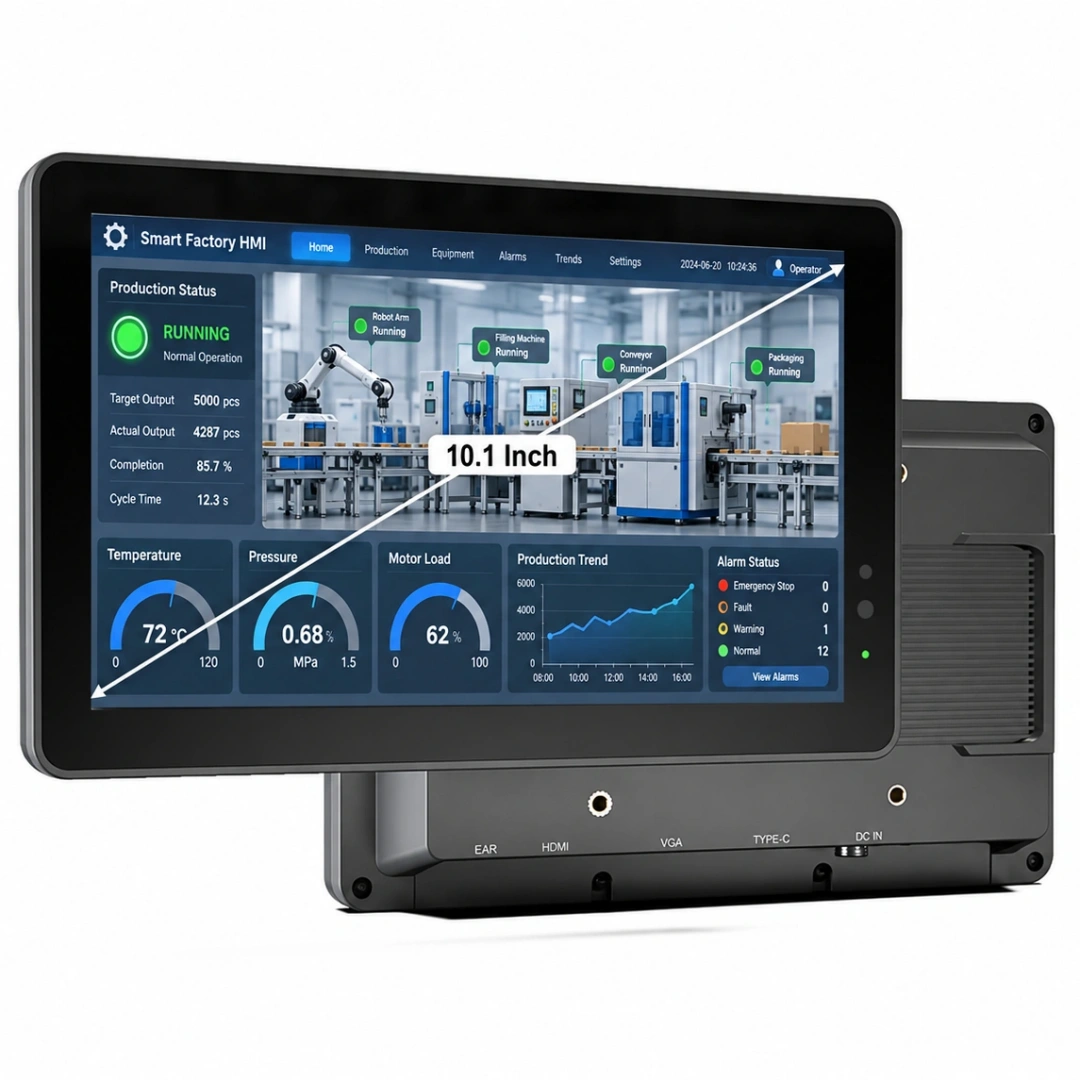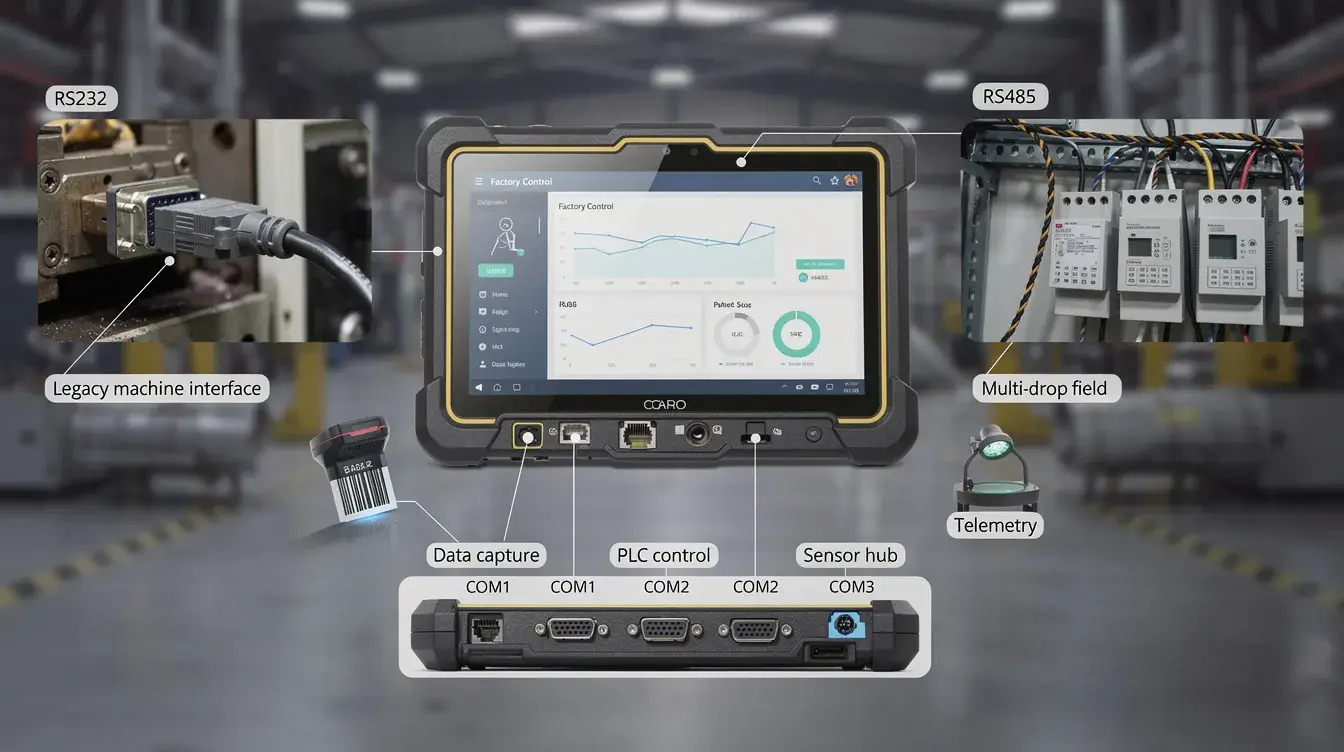
A serial port is a communication interface that sends and receives data one bit at a time. In industrial PCs, rugged tablets, PLC maintenance tools, meters, barcode scanners, POS peripherals, and legacy equipment, serial ports remain important because they provide simple, stable, deterministic communication where other interfaces are not always practical.
This guide explains the serial port definition, COM port behavior, RS232, RS485, RS422, UART, connectors, wiring, troubleshooting, and rugged computer selection for system integrators, maintenance engineers, automation teams, warehouse operators, and procurement teams.
Key Takeaways
- A serial port is a one-bit-at-a-time communication interface used for serial communication between computers and serial devices.
- Serial ports are still critical in industrial PCs, rugged tablets, PLC tools, meters, barcode scanners, POS peripherals, medical equipment, and legacy machines.
- Understanding RS232, RS485, UART, COM port numbering, baud rate, parity, stop bits, and wiring helps prevent common serial port connection failures.
- System integrators, automation teams, maintenance engineers, warehouse operators, and procurement teams use serial ports for stable field connections where USB and Ethernet are not always practical.
- Modern rugged tablets from Kcosit can support native or dock-based serial interfaces for field service, warehouse, and industrial automation projects, depending on model configuration.
What Is a Serial Port?
Quick answer: A serial port is a physical communication interface that enables the transfer of data between devices, transmitting data serially, which means that bits are sent one after the other over a single wire. It sends and receives serial data through a small number of conductors rather than moving multiple bits at the same time.
A serial port is commonly associated with standards such as RS-232, RS-485, RS-422, UART, and TTL serial. It may connect a serial device such as a PLC, meter, modem, receipt printer, barcode scanner, medical analyzer, or embedded controller.
Serial communication differs from a parallel port because a serial port sends bits sequentially, while a parallel port sends multiple bits at once across multiple conductors. In practice, serial is slower than many modern interfaces but easier to implement, easier to diagnose, and widely supported by industrial equipment.
Typical serial data transfer rates start as low as 300 bps and commonly run at 9,600, 19,200, 38,400, 57,600, or 115,200 bps. The maximum data transfer rate for a serial port is usually between 115,200 and 460,800 bits per second (bps), although some devices may support higher speeds. Some modern RS-485 or UART implementations can reach a few Mbps over short cable runs, but cable quality, noise, and device support matter.
Serial Port Definition Box
| Item | Practical definition |
|---|---|
| Formal serial port definition | A port that transmits and receives data one bit at a time between two devices. |
| Typical electrical standards | RS232, RS485, RS422, UART, and TTL serial. |
| Core signals | TX for transmit data, RX for receive data, and GND or signal ground. |
| Common frame format | One start bit, five to eight data bits, an optional parity bit, and one or two stop bits. |
| Typical use | Serial port communication with industrial equipment, peripheral devices, and legacy systems. |
Serial ports typically use a standard data format that includes one start bit, between five and eight data bits, and one or two stop bits, with an optional parity bit for error checking. A common configuration is 9600 8-N-1, meaning 9,600 baud, eight data bits, no parity, and one stop bit.
When a serial port sends a binary value, the receiving side interprets the timed signal transitions according to the agreed serial protocol. In many UART-style links, the least significant bit is transmitted first, followed by the remaining framing bits.
What Is a Serial Port in a Computer?
Quick answer: In a computer, a serial port is usually a physical connector controlled by a UART and shown by the operating system as a COM port in Windows or a tty device in Linux.
Legacy desktop PCs often had rear-panel 9-pin RS-232 ports labeled COM1 or COM2. Most computers in the consumer laptop category no longer include native serial ports, but industrial PCs, industrial panel PC systems, and rugged tablets still use them because field devices and automation tools continue to require serial connection support.
Serial ports usually connect via 9-pin or 25-pin D-sub connectors, commonly referred to as COM ports. On rugged computers, they may also appear through sealed circular connectors, locking DB9 connectors, terminal blocks, or docking stations.
In Windows, COM ports appear in Device Manager under “Ports (COM & LPT)” with a serial port number such as COM3 or COM7. In Linux, serial devices may appear as /dev/ttyS*, /dev/ttyUSB*, or /dev/ttyACM*.
A physical serial port of computer hardware may be built in, or it may be created through an adapter. USB-to-serial adapters, Bluetooth serial bridges, Ethernet serial servers, and docks can create virtual serial ports and virtual COM ports when no native port exists.
For Kcosit rugged Windows tablets, rugged Android tablets, vehicle-mounted tablets, and docking solutions, buyers should verify whether the port is native, dock-based, or adapter-based. This matters because driver behavior, cable retention, power stability, and COM numbering can affect deployed workflows.
Serial Port vs COM Port vs RS232: Are They the Same?
Quick answer: A serial port is the general interface, a COM port is the operating system’s logical name for that interface, and RS-232 is one specific electrical standard used by many serial ports.
These terms are often used interchangeably in manuals, but they do not mean the same thing. A single physical connector may be called a serial port, appear as COM3 in Windows, and use RS-232 voltage levels electrically.
RS-232 is the most widely used serial communication standard and defines characteristics such as maximum bit transfer rate, cable length, and signal functions. RS-232 is designated TIA/EIA-232C and is published by the Telecommunications Industry Association, detailing the electrical characteristics and pin assignments for serial connections.
Other serial communication standards include RS-422 and RS-485, which are used for different applications and support multi-drop configurations, allowing multiple devices to communicate over the same bus. RS-485 is especially common in Modbus RTU networks.
| Term | What it means | Typical example |
|---|---|---|
| Serial Port | Generic interface for sequential data transmission | A DB9 port is used to configure a PLC |
| COM Port | Logical port name assigned by the operating system | COM1, COM2, COM7 in Windows |
| RS-232 | Electrical standard for single-ended serial signaling | DB9 connection to a receipt printer or modem |
| RS-485 | Differential serial bus for long-distance multi-drop networks | Modbus RTU meter network |
| UART/TTL | Logic-level serial used in embedded systems | 3.3 V TX/RX/GND header on a controller board |
| Connector Type | Physical form of the connection | DB9, DB25, terminal block, RJ45 console, circular connector |
For procurement, do not specify only “serial.” Confirm the electrical standard, connector type, protocol, port count, and COM number behavior. A DB9 connector does not automatically mean RS-232, and a COM port label does not tell you whether the signal is RS-232, RS-485, or TTL.
What Does a Serial Port Look Like?
Quick answer: A classic serial connector on a PC or industrial computer looks like a 9-pin D-subminiature connector, often labeled COM or RS-232, but serial ports can also use DB25, terminal blocks, RJ45 console connectors, or USB-to-serial adapters.
A DB9, technically DE-9, has a compact D-shaped metal shell and a 5+4 pin layout. It may be male or female, depending on the device. On industrial PCs and some Kcosit docks, a DB9 connector may be screw-locking so the serial cable stays connected during vibration.
A DB25 connector is larger and historically appeared on both serial and parallel port connections. DB25 serial is less common today, but it still appears on some legacy test equipment, machine tools, and older data terminal hardware.
RS-485 and RS-422 often use terminal blocks or Phoenix-style screw connectors. Instead of a D-sub shell, these expose terminals such as A/B, D+/D-, TX+/TX-, RX+/RX-, and GND. This style is common in DIN-rail devices, meters, and industrial controllers.
Some network devices use an RJ45 serial console port. The connector looks like Ethernet, but it carries serial console signals rather than network traffic, so it requires the correct console serial cable or USB-to-serial adapter. System administrators utilize serial console ports on networking hardware for initial setups and diagnostics when network access is down.
USB-to-serial adapters present a usb port on the computer side and a DB9 or terminal block on the connected device side. The adapter creates a virtual COM port in the OS while still depending on a real serial cable and correct wiring.
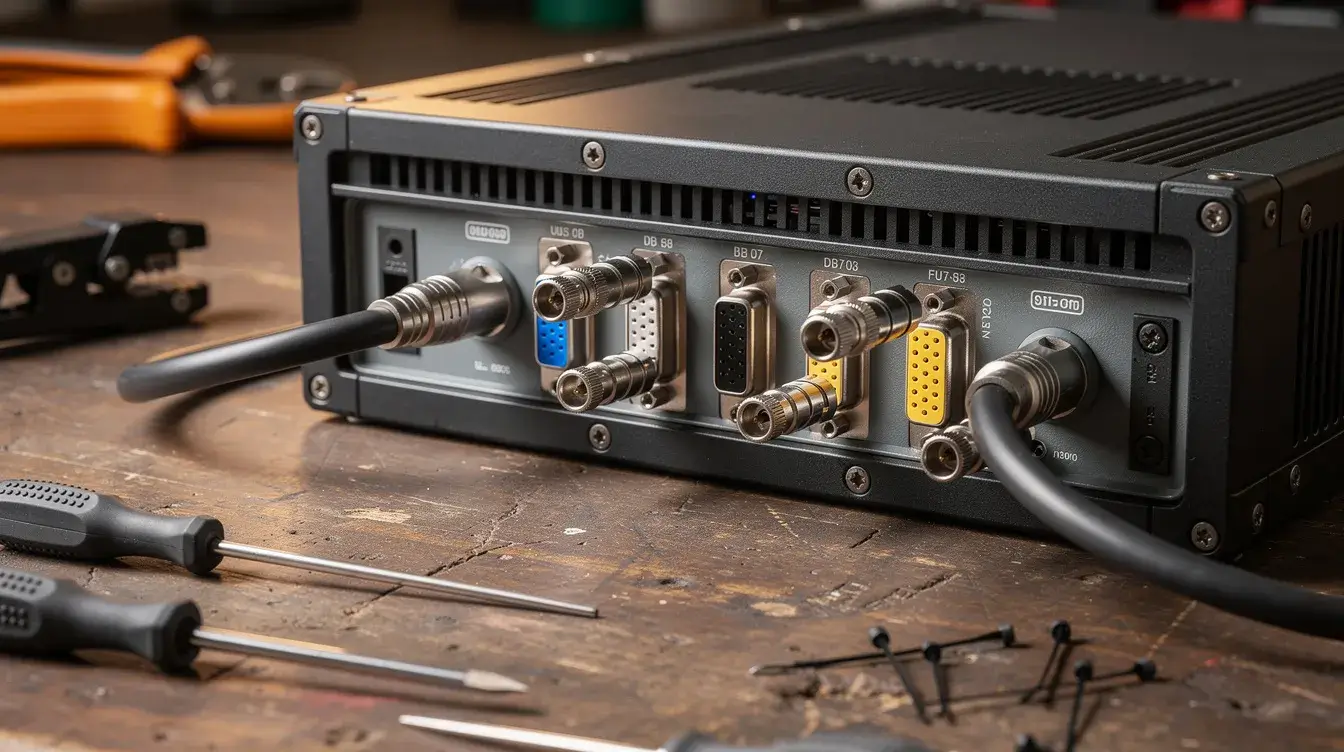
Serial Connector Visual Explanation
The RS-232 standard specifies that a serial connection typically requires three pins: Transmit Data (TD), Receive Data (RD), and Ground (GND), with additional pins available for control signals.
Common Serial Port Types: RS232, RS485, RS422, UART and TTL Serial
Quick answer: RS232, RS485, RS422, UART, and TTL are all related to serial communication, but they differ in voltage levels, topology, distance, noise immunity, and the number of devices they can support.
RS-232, sometimes written in field notes as rs 232, uses single-ended signaling referenced to signal ground. It is common on PCs, instruments, POS peripheral devices, modems, and older controllers. RS-232 voltage levels are not the same as TTL serial, so direct wiring can damage equipment.
RS-485 uses differential signaling over twisted pair cable. It supports longer distances, better noise immunity, and many devices on one bus when the serial protocol supports addressing, such as Modbus RTU.
RS-422 is also differential and robust, but it is usually used for point-to-point or point-to-multipoint links rather than the more flexible multi-drop networks associated with RS-485.
UART and TTL serial are common in embedded systems. They usually use 3.3 V or 5 V logic-level TX, RX, and GND pins and are intended for short internal connections, development headers, modules, and board-level communication.
| Standard | Signaling Type | Max Distance, Typical | Topology | Typical Connectors | Typical Use Cases |
|---|---|---|---|---|---|
| RS232 | Single-ended, referenced to ground | About 15 m at common speeds | Point-to-point between two devices | DB9, DB25, circular connector | PCs, instruments, POS devices, modems |
| RS485 | Differential twisted pair | Hundreds of meters, up to about 1,200 m at low baud rates | Multi-drop bus | Terminal block, DB9, M12, circular connector | Modbus RTU, meters, PLC networks, building automation |
| RS422 | Differential pairs | Up to about 1,200 m at lower speeds | Point-to-point or one driver to multiple receivers | Terminal block, DB9 | Industrial, broadcast, legacy machine links |
| UART/TTL | Logic-level single-ended | Short board-level or short cable runs | Usually point-to-point | Pin header, board connector | Embedded systems, debug headers, and modules |
Serial ports typically max out at speeds around 115 Kbps to a few Mbps, making them slower than modern alternatives. The practical maximum transfer rate depends on the electrical standard, cable length, noise, termination, and the connected device.
Kcosit rugged tablets and vehicle-mounted computers may support RS-232 or RS-485 through configurable COM ports, expansion modules, or docking stations. Buyers should verify which serial port types are available per port before finalizing a deployment.
What Are Serial Ports Used For?
Quick answer: Serial ports are used for PLC programming, Modbus RTU networks, meters, sensors, barcode scanners, receipt printers, cash drawers, scales, CNC machines, medical equipment, lab instruments, and serial console access.
Serial ports are extensively used in industrial automation to monitor and program industrial equipment. In industrial automation and control systems, serial ports facilitate communication between various devices, enabling efficient monitoring and control.
In manufacturing, a maintenance engineer may use a rugged Windows tablet to connect to a PLC, servo drive, HMI, CNC controller, or motor inverter. The serial port connection may carry parameter data, machine status, firmware updates, or diagnostic logs, just as many other industries depend on rugged tablet industry solutions for harsh environments.
In warehousing and logistics, serial devices include barcode scanners, label printers, receipt printers, weigh scales, cash drawers, and customer displays. A vehicle-mounted tablet or docked rugged tablet may connect to a scanner or scale through a fixed COM port, forming part of a broader rugged tablet solution for warehouse management.
In transportation and field service, serial output may come from GPS receivers, telematics boxes, pumps, controllers, and older on-board devices. Technicians often need vehicle-mounted rugged tablets for fleet and asset management that can survive outdoor use while maintaining a reliable connection.
Energy and utilities teams use serial ports with power meters, RTUs, solar inverters, data loggers, and legacy SCADA equipment. RS-485 is especially useful when meters are spread across a site, and the cable length is too long for RS-232.
Many legacy scientific and medical instruments interface with computers using serial protocols. Serial ports are commonly used for communication with devices such as modems, printers, barcode scanners, and medical equipment. Legacy serial ports continue to be widely used today in industrial equipment and amateur electronics, even as USB and Ethernet have become common elsewhere.
Serial ports are utilized in networking equipment such as routers and switches, often for console access and configuration. This is why a serial console port remains a practical recovery interface when a device is unreachable over the network.
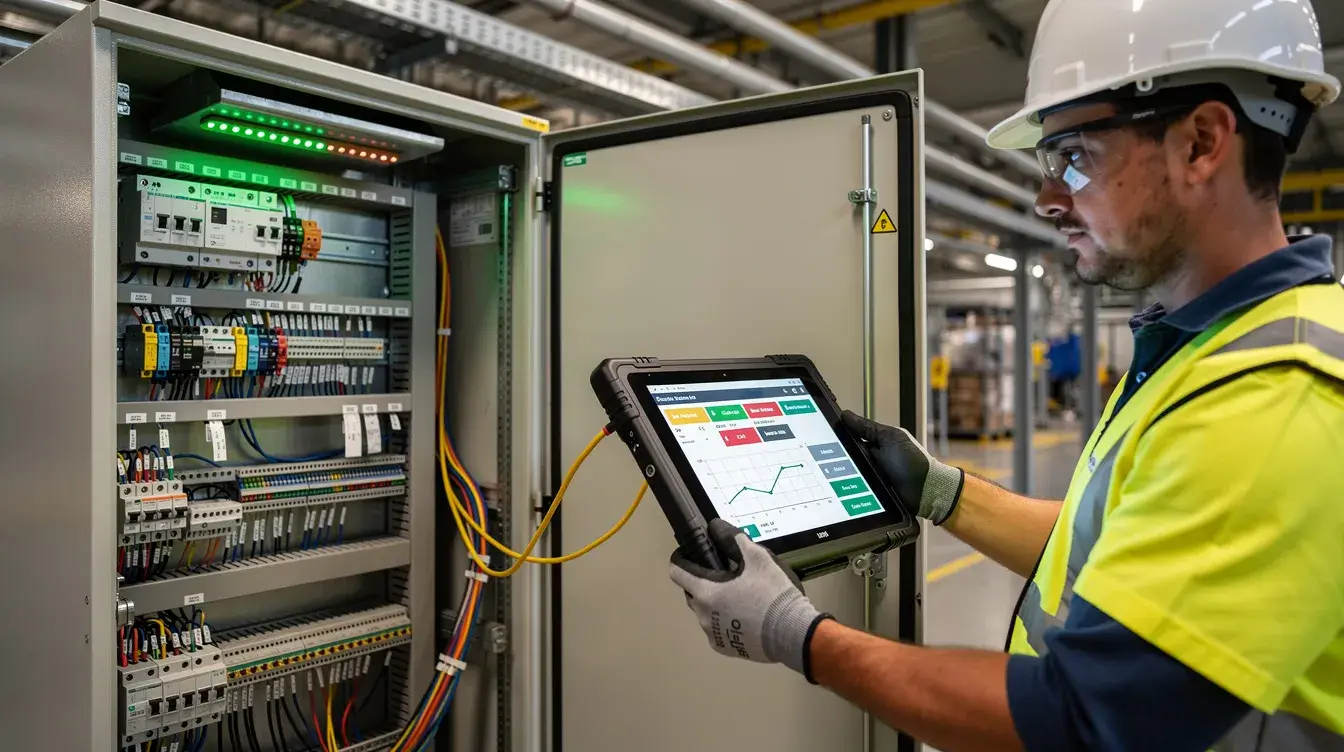
Serial Port Connection: How Devices Communicate
Quick answer: A serial port connection requires compatible wiring, matching settings, the correct electrical standard, and optional flow control. If TX, RX, GND, baud rate, parity, and stop bits do not match, communication may fail or show garbled data.
Serial ports use distinct pins for transmitting (TX) and receiving (RX) data, allowing full-duplex communication. In RS-232 and TTL wiring, TX from one device connects to RX on the other device, RX connects back to TX, and GND provides the reference.
To connect two devices using a serial port, a serial cable that matches the connector type on each device is required, with the most common being a 9-pin male-to-male cable. However, the cable must match the pin assignments and device role, not just the connector shape.
When connecting two devices of the same type, such as data terminal equipment to data terminal equipment or DCE to DCE, a null modem cable is necessary to cross the transmit and receive lines, allowing direct communication without a modem. A straight-through cable is normally used when one side is DTE and the other side is DCE.
Devices connected through serial ports must match their configuration settings, including baud rate and parity. They must also match data bits, stop bits, and flow control. If one device uses even parity and the other uses odd parity, or if one expects hardware handshaking and the other does not provide it, data loss or timeouts can occur.
Flow control is a mechanism used to regulate the flow of data between two devices in a serial communication system to prevent data loss or corruption due to data overload or underflow. There are two types of flow control: hardware and software; hardware flow control uses control lines on the serial port, while software flow control uses special characters in the data stream.
Hardware flow control typically uses signals such as RTS (Request to Send) and CTS (Clear to Send) to manage data transmission between devices. Software flow control is implemented using ASCII control characters like XON and XOFF, which are sent by the receiver to control the sender’s data transmission.
Other control signals may include data terminal ready, data set ready, request to send, and clear to send. These control lines help regulate data flow, indicate readiness, or stop sending data when buffers are full.
A serial frame usually includes a start bit, five to eight bits of data, optional parity, and stop bits. This structure tells the receiving device where each character starts and ends during data transmission.
Serial Connection Settings Checklist
- Confirm the electrical standard: RS-232, RS-485, RS-422, UART, or TTL.
- Confirm the connector and pin assignments before applying power.
- Confirm cable type: straight-through or null modem cable.
- Confirm the COM port number or tty device name in the operating system.
- Match baud rate, data bits, parity bit, and stop bits, such as 9600 8-N-1.
- Confirm hardware handshaking or software flow control settings.
- Confirm signal ground, shielding, and termination where required.
- Test with a known-good serial device before deploying many units.
Serial Port vs USB: Why Serial Still Matters in Industrial Computers
Quick answer: USB is faster and more common on modern devices, but serial ports remain valuable in industrial computers because they are simple, deterministic, long-supported, and still required by many machines.
USB technology allows for hot-swapping, meaning devices can be connected or disconnected while the computer is on. USB ports are a more advanced form of serial communication that can handle both data and power.
Even so, serial communication remains crucial in several specialized industries despite the rise of USB. Many industrial devices were designed around RS-232 or RS-485 and are expected to remain in service for years because replacement is expensive, risky, or unnecessary.
A serial is also easier to troubleshoot in many field situations. A technician can inspect TX/RX wiring, check voltage levels, verify baud rate, and capture serial port data with terminal software. With RS-485, long cable runs and differential signaling are practical for noisy environments where a short USB cable would not be suitable.
For procurement teams, this is why a PC with COM port support is still specified for plant floors, substations, vehicles, kiosks, laboratories, and maintenance carts.
Serial Port Problems and Troubleshooting Checklist
Quick answer: Most serial port problems come from the wrong COM number, missing driver, mismatched baud rate or parity, incorrect cable type, reversed TX/RX, missing ground, excessive cable length, or electrical noise.
Common symptoms include no data, intermittent data, garbled characters, connection timeouts, software unable to open the port, or a device that appears connected but does not respond. Troubleshooting should start with simple checks before replacing hardware.
| Problem | Likely Cause | What to Check |
|---|---|---|
| Software cannot open a port | Wrong serial port number or port already in use | Check the device manager, application settings, and whether the two ports are assigned correctly |
| COM port missing | Driver not installed or adapter not detected | Reinstall driver, check USB connection, confirm adapter chipset support |
| No response from the device | Wrong cable type or disconnected wire | Verify straight-through vs null modem cable and check TX/RX receive lines |
| Garbled characters | Baud rate mismatch | Match both ends to the same baud rate, such as 9600 or 115200 |
| Random characters | Parity, data bits, or stop bits mismatch | Confirm eight data bits, even parity or odd parity as required, and correct stop bits |
| Device connects, then stalls | Flow control mismatch | Disable or enable RTS/CTS, DTR/DSR, XON/XOFF as required |
| Intermittent failure | Missing signal ground or poor shielding | Check GND, shield termination, and ground potential between devices |
| Works on bench, fails on site | EMI, cable length, or weak connector | Use shielded serial cable, shorter runs, locking connectors, and proper routing |
| RS-485 bus unstable | Missing termination or wrong topology | Add termination at bus ends and avoid star wiring where possible |
| Data overload | Buffers are filling faster than software can read | Use flow control to prevent data loss and regulate the flow of data |
Use a loopback plug, multimeter, oscilloscope, or serial analyzer when basic checks do not resolve the issue. Terminal programs can send data and receive data directly, making it easier to verify serial output from the connected device.
For RS-485 and RS-422, inspect termination, biasing, twisted pair wiring, and shielding. For RS-232, inspect the signal ground, cable length, modem-style wiring assumptions, and whether the device is DTE or DCE.
In harsh industrial conditions, screw-lock DB9 connectors, strain relief, shielded cable, and sealed connectors reduce intermittent failures. A rugged tablet or industrial PC should be evaluated as part of the complete communication chain, not only by checking whether a port exists.
How to Choose Serial Ports for Rugged Tablets and Industrial PCs
Quick answer: Hardware buyers should specify the exact electrical standard, connector, number of ports, protocol, OS driver, COM number behavior, and environmental requirements rather than simply asking for “a serial port.”
A procurement specification should identify the serial devices, software tools, field conditions, and installation method. This prevents late-stage issues such as “the port exists, but it is RS-232, while the meter network requires RS-485.”
| Procurement Item | What to Confirm |
|---|---|
| Physical connector | DB9, DB25, terminal block, M12, circular connector, or RJ45 console |
| Electrical standard | RS-232, RS-485, RS-422, UART/TTL, or configurable mode |
| Serial protocol | Modbus RTU, instrument command set, POS protocol, console protocol, or proprietary protocol |
| Number of ports | One device per RS-232 port, or RS-485 bus for many devices |
| OS driver | Windows, Android, Linux, and virtual COM port support |
| COM number stability | Same COM assignment after reboot, docking, or replacement |
| Baud rate support | Required baud rate and data transfer rates supported by hardware and software |
| Cable length | RS-232 short runs; RS-485 for longer industrial wiring |
| Shielding and grounding | Shielded cable, signal ground, surge protection, and isolation where needed |
| Docked/undocked access | Whether the port is available on the tablet, dock, vehicle mount, or expansion module |
| Rugged protection | IP sealing, vibration resistance, locking connectors, and cable strain relief |
For rugged Windows tablets, COM port software compatibility is often the deciding factor. PLC tools, POS applications, medical instrument software, and SCADA utilities may expect fixed COM ports, which is why many buyers evaluate Kcosit rugged tablets and industrial devices alongside their serial requirements.
For rugged Android tablets, serial integration may depend on hardware configuration, dock support, SDK access, and application compatibility. For industrial panel PCs, the focus is often on fixed installation, long lifecycle, mounting, and stable serial port communication with controllers or meters.
Kcosit can support B2B hardware projects where serial requirements must be integrated into rugged tablets, industrial tablet PCs, vehicle-mounted computers, docking stations, or custom OEM/ODM designs. Buyers should share the target device list, connector drawings, protocol requirements, and deployment environment early in the project.
For broader interface planning beyond serial, see Kcosit’s related guide to industrial Rugged Tablet interfaces and protocols.
When a Rugged Tablet Needs a Built-In Serial Port
Quick answer: A rugged tablet needs a built-in serial port when technicians must connect directly to serial port devices in the field without relying on loose adapters that can be lost, damaged, or assigned to changing COM numbers.
Built-in or dock-integrated serial is valuable for PLC and drive tuning, commissioning Modbus RTU devices, configuring meters, diagnosing pumps, testing HVAC controllers, and recovering routers through a serial console port. These workflows often happen in plants, substations, construction sites, warehouses, vehicles, and remote facilities in sectors such as the automotive industry, using rugged tablets for diagnostics and in-vehicle computing.
A USB-to-serial adapter may be sufficient for occasional lab testing or low-frequency service calls. For daily field maintenance, vehicle-mounted workflows, kiosk integration, and fixed service benches, a built-in or docked interface is often more reliable.
In POS, ticketing, and kiosk environments, a rugged Windows tablet or industrial PC with a stable COM port can simplify integration with receipt printers, cash drawers, customer displays, and scales. In warehousing, a vehicle dock with a serial can connect to weighbridges, legacy scanners, or controllers while also supporting charging and mounting.
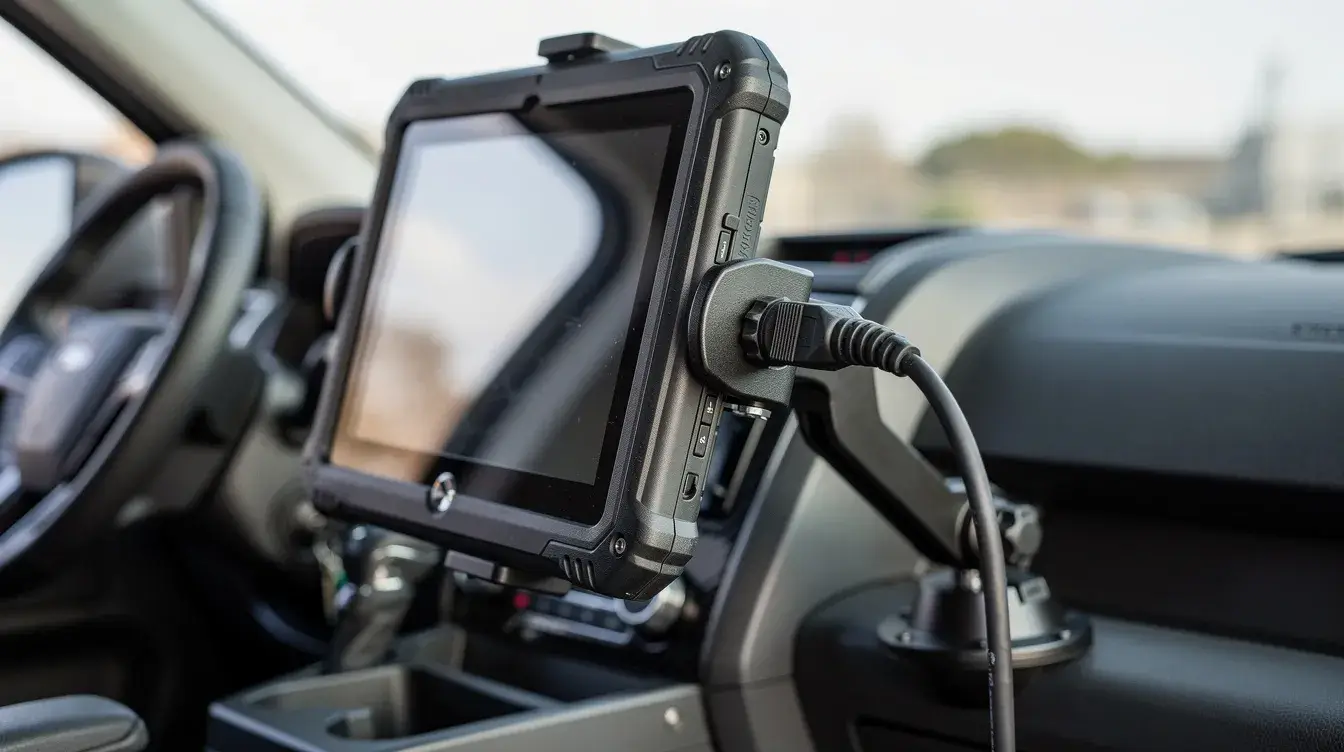
When selecting Kcosit rugged tablets or industrial panel PCs, ask whether the serial port is available while docked and undocked, whether the port supports RS-232 or RS-485, and whether the application depends on a fixed COM number. Also, confirm whether the hardware supports full duplex communication, required control signals, and expected communication protocols.
FAQ About Serial Ports
Can I connect several serial devices to a single COM port?
Classic RS-232 is point-to-point, so one device normally needs one COM port. RS-485 can connect many devices on the same bus when the protocol supports addressing, such as Modbus RTU device IDs, but the bus still needs correct wiring, termination, and configuration.
How long can my serial cable be in an industrial environment?
RS-232 is typically kept under about 15 m at standard baud rates. RS-485 can often reach hundreds of meters with twisted pair, shielding, and termination, but the real distance depends on baud rate, cable quality, electrical noise, grounding, and the number of nodes.
Can I convert between RS-232 and RS-485 safely?
Do not directly wire RS-232 to RS-485. The voltage levels and signaling methods differ, so a proper RS-232-to-RS-485 converter, isolated gateway, or configurable industrial interface is required.
Do modern operating systems still support hardware COM ports?
Yes. Windows, Linux, and many industrial OS builds still support hardware COM ports and USB-based virtual COM ports. Many PLC tools, POS systems, test instruments, and serial console workflows still depend on them.
How do I know if my rugged tablet’s docked COM port will keep the same COM number?
COM numbering depends on drivers, dock hardware, operating system configuration, and how the port is enumerated. Test the exact rugged tablet, dock, OS image, and application before rollout, then standardize the approved configuration for production deployment.
Is a COM port the same as a serial port?
A COM port is the operating system’s logical name for a serial communication channel, while a serial port refers to the communication interface itself.
Is RS232 the same as a serial port?
No. RS232 is one electrical standard used by some serial ports, but serial ports may also use RS485, RS422, UART, or TTL-level signaling.
Can a USB-to-serial adapter replace a built-in serial port?
It can work for occasional service tasks, but built-in or dock-based serial ports are usually more reliable for daily industrial workflows that require fixed COM numbering, cable retention, and rugged deployment.